FitLog
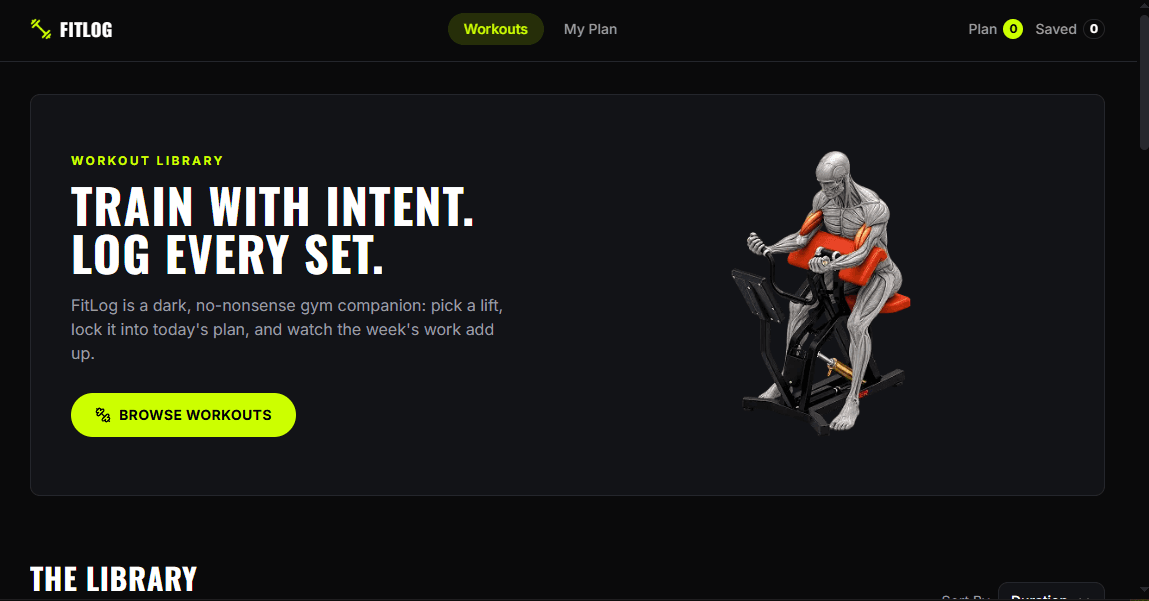
A dark, no-nonsense gym companion: browse a twelve-lift library, then lock exercises into today's plan or save them for later, with everything tracked live and kept across reloads.
- Next.js 14
- React 18
- TypeScript
- Tailwind CSS
- Context API
- localStorage
Why I built it
I wanted a workout app that gets out of the way: a dark, focused interface where picking a lift, planning today's session and seeing the totals takes a few taps. FitLog was also a chance to practice app-wide state in Next.js, with a plan that follows you around the site and survives a reload.
What it does
FitLog lets a lifter pick a workout from the library, review its equipment, difficulty, sets, reps and step-by-step instructions, and either add it to today's plan (capped at five lifts) or save it for later. The My Plan page tracks live totals for exercises, minutes and calories, and lets you mark lifts as done, remove them, sort the list and switch between the Today's Plan and Saved tabs.
- Workout library: twelve lifts fetched from an API and shown as responsive cards (three columns on desktop, two on tablet, one on mobile) with category tags, equipment, and a duration, calories and rating row.
- Sorting: a Sort By dropdown re-orders the library and the My Plan lists by duration, calories or rating.
- Detail pages: a two-column view with a large hero image, a key-specs panel and numbered instructions, plus Add to today's plan and Save for later actions.
- Live navbar badges: Plan and Saved counters update instantly and link straight to the My Plan page.
- My Plan dashboard: Exercises, Minutes and Calories cards that total live from whatever is in today's plan, with a loading state and a "Nothing Here Yet" empty state.
- Mark as done and remove: done lifts get a confirmation toast, and the five-lift cap disables the add button once it is reached.
- Polish: toast notifications for every action, a themed 404 page, a route-level error boundary and loading states.
Stack
| Purpose | Technology |
|---|---|
| Framework | Next.js 14 (App Router), with server components and data fetching |
| Language | React 18 and TypeScript |
| Styling | Tailwind CSS, fully responsive |
| Icons | lucide-react |
| Typography | next/font with Oswald and Inter |
| Persistence | Browser localStorage |
| Data | The FitLog REST API (all workouts, and a single workout by id) |
Technical decisions
One context for plan, saved and done
Today's Plan, Saved and Done status live in a single PlanContext, with a separate ToastContext for notifications. Because the navbar badges, the detail-page buttons and the My Plan page all read from the same source, they can never disagree: adding a lift on a detail page updates the navbar counter and the My Plan totals in the same render.
Persisting state in localStorage
The plan survives a reload or a return visit because the context writes to localStorage. Since localStorage only exists in the browser, this kind of state has to be read on the client rather than during server rendering. The My Plan page also has an explicit loading state and an empty state.
Derive totals instead of storing them
The Exercises, Minutes and Calories numbers are not stored anywhere. They are calculated from whatever is currently in today's plan, so removing a lift or marking a different one can never leave a stale total behind.
Enforcing the five-lift cap in the UI
Today's plan is capped at five lifts. Once the cap is reached, the Add to today's plan button is disabled, so the rule is visible to the user instead of failing silently.
Server components for data, client components for interaction
The library and detail pages fetch workouts on the server, while interactive pieces such as the sort dropdown, the detail actions and the plan cards are client components. Keeping the split clear means only the parts that need browser state ship client-side code.
Complete states, not just the happy path
Every route has a considered fallback: a loading state for the home page, a route-level error boundary, a custom 404, and an empty state on My Plan. Every mutating action confirms itself with a toast.
Challenges
- Server rendering vs browser storage. The plan lives in
localStorage, which does not exist on the server. I restored it on the client and added loading and empty states so the first render was not misleading. - Keeping three surfaces in sync. The navbar badges, detail-page buttons and My Plan page all change the same plan. A single
PlanContextremoved the risk of counters disagreeing. - Deriving totals. Exercises, minutes and calories are calculated from the current plan, so removing a lift cannot leave stale totals behind.
- Making limits visible. The five-lift cap disables the add button instead of silently rejecting the sixth lift.
- Designing the unhappy paths. Loading, error, 404 and empty states had to be designed, not added at the end.
Structure
app/
  layout.tsx           root layout: fonts, providers, navbar, footer
  page.tsx             home page (hero and library)
  loading.tsx          home loading state
  error.tsx            route-level error boundary
  not-found.tsx        custom 404
  workout/[id]/        workout detail page
  my-plan/             My Plan page (tabs, metrics, sort)
components/            Navbar, Footer, Hero, Library, WorkoutCard,
                       SortDropdown, SpecsTable, DetailActions, PlanItemCard
context/               PlanContext, ToastContext
lib/                   shared types and API helpers
Future improvements
- Workout history and progress charts, which would need accounts and a database instead of
localStorage. - Custom workout creation and reusable routines.
- Cross-device sync through a small backend for user accounts.
- Optional rest timers or session notes for each workout.
What I learned
- One source of truth for shared state. Putting the plan, saved list and done status in a single context meant the navbar badges, detail buttons and My Plan page could never disagree.
- Derive, don't store. Calculating totals from the current plan removed a whole class of stale-number bugs.
- Browser storage lives in the browser.
localStorageis not available during server rendering, so persisted state has to be restored on the client, which makes loading and empty states part of the design. - Split server and client on purpose. Fetching data on the server and keeping only the interactive pieces as client components kept the code easier to follow.